
An overview of every order
See products and current status by order, find active projects and open the details you need.
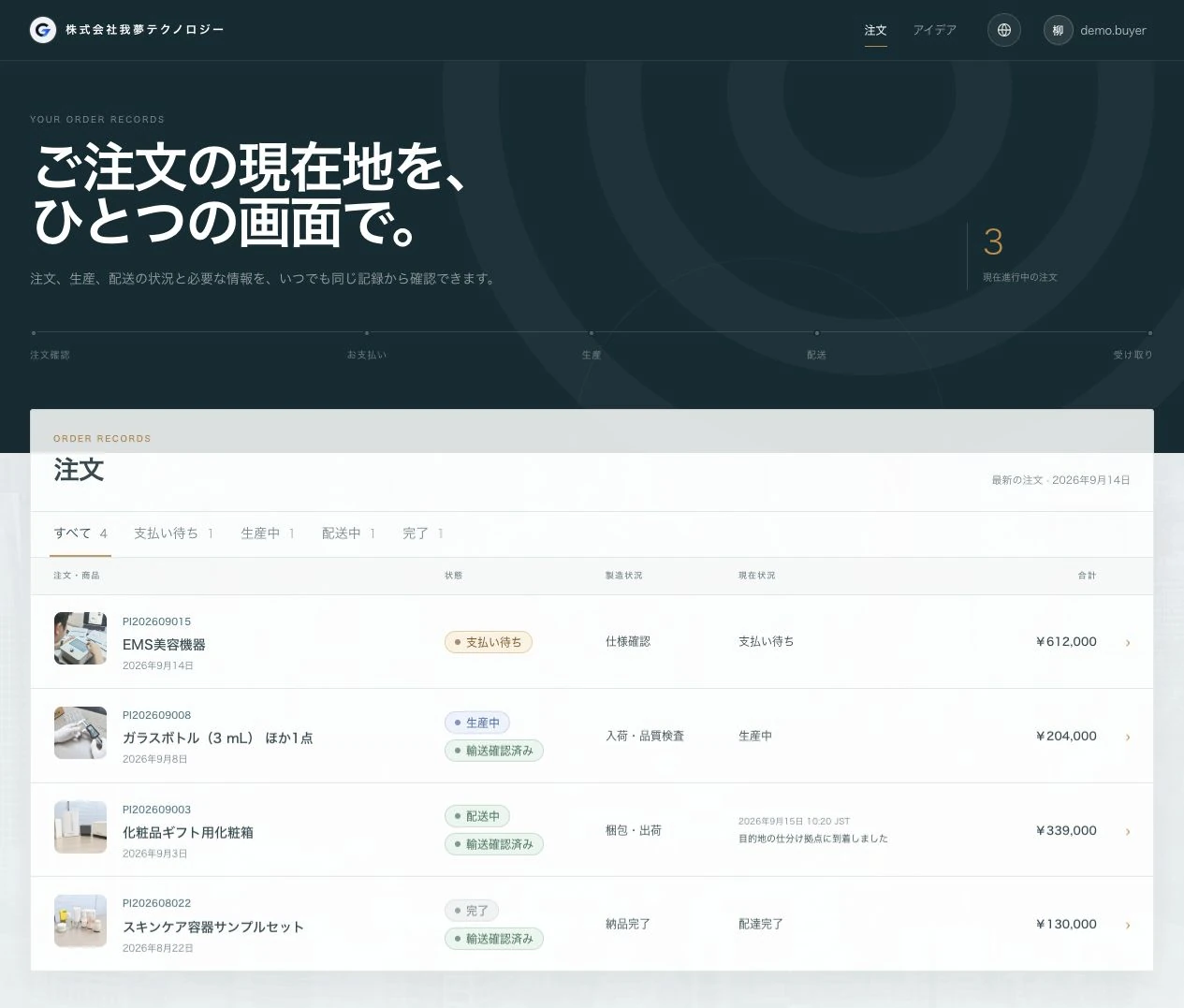
These screens show the actual GAMU system. Company names, contacts and order details have been replaced with demonstration data to protect privacy.
See products and current status by order, find active projects and open the details you need.
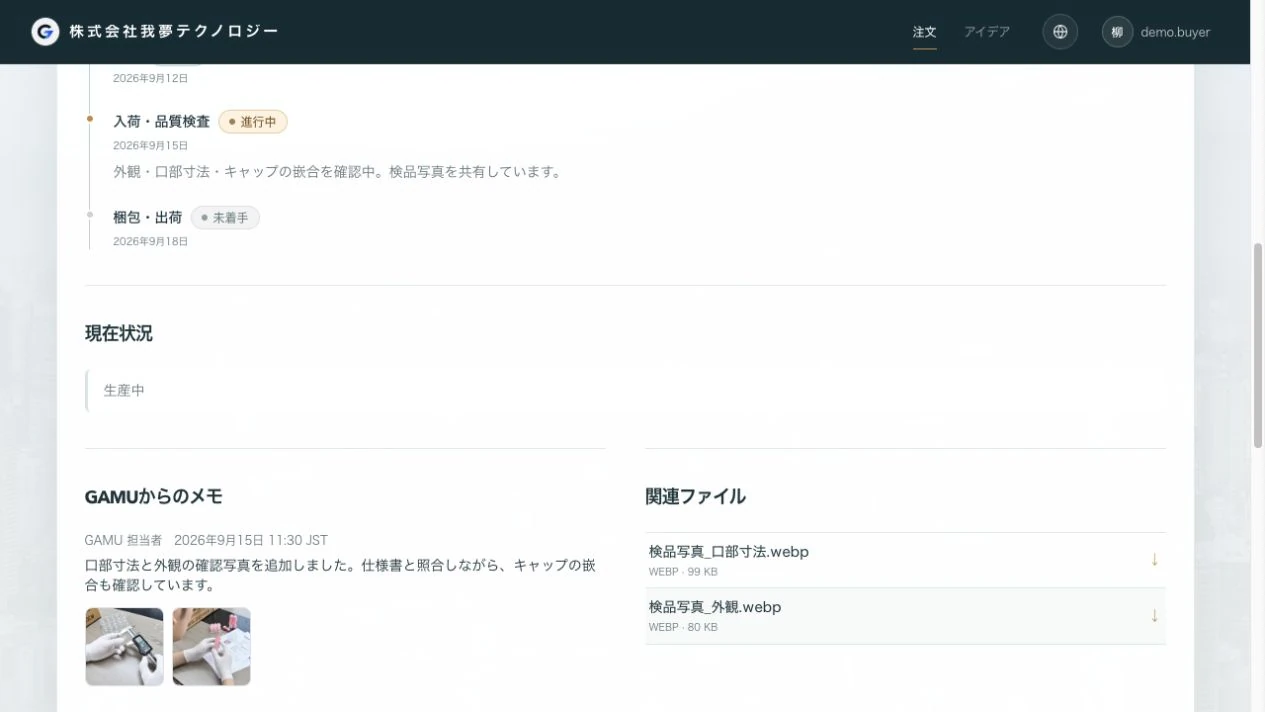
Production and inspection updates, photos and documents stay with the order. Follow the related discussion in the same place without searching through separate email threads.
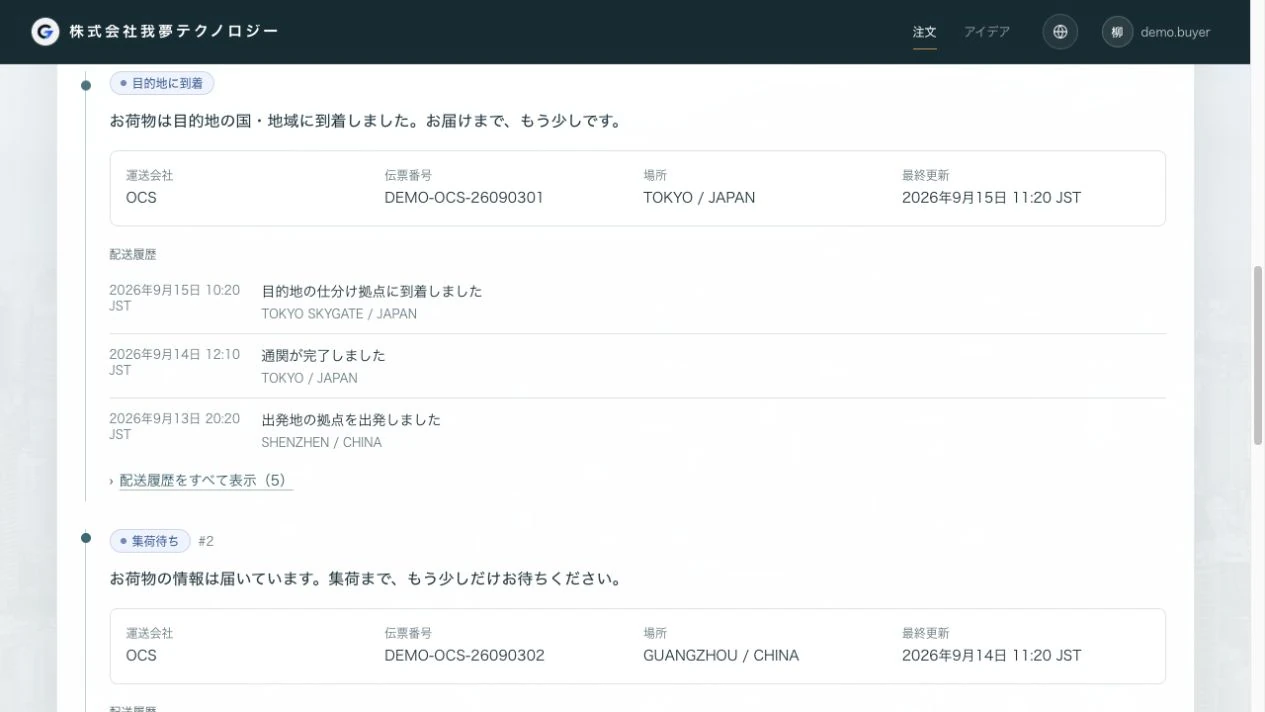
View delivery information for split shipments alongside the order. Share available tracking updates and open questions with your coordinator through to arrival.
Your coordinator provides a dedicated account when work begins. The project scope determines the stages and records available. Contact us for a walkthrough before starting.
Ask about the portal